Dreaming of sharing your gaming creations with millions but limited on time? This comprehensive guide explains exactly how to publish a game on Roblox, tailored for busy US gamers balancing life and passion. Discover step-by-step instructions, essential optimization tips, and strategies for a successful launch without sacrificing family or work. We cover everything from initial setup in Roblox Studio to crucial testing, promotion, and even monetization options. Learn to make your game public, understand performance metrics, and engage with the vibrant Roblox community effectively. Dive into practical advice designed to help you navigate the publishing process efficiently, ensuring your game reaches its audience. Get ready to turn your game ideas into reality on one of the world's largest gaming platforms, making the most of your valuable creative hours. We'll help you avoid common pitfalls and leverage Roblox's massive player base. This article is your go-to resource for making your Roblox game a success, no hype, just practical solutions for real gamers.
How do I make my Roblox game public for everyone to play?
To make your Roblox game public, open your game in Roblox Studio, navigate to 'Game Settings' (found under the 'File' or 'Home' tab), and then select 'Permissions'. In this section, change your game's access level from 'Private' to 'Public'. After saving these settings, your game will be discoverable and playable by anyone on the Roblox platform, allowing you to share your creation with a global audience.
What are the file size limits or performance considerations for Roblox games?
While Roblox doesn't impose a strict file size limit like traditional game stores, performance is crucial. Large games with excessive parts, unoptimized scripts, or high-resolution textures can lead to lag, especially for players on mobile or older devices. Focus on efficient coding, utilizing Roblox's streaming enabled feature, and keeping part counts reasonable to ensure smooth gameplay for the broad player base, especially considering many US gamers access Roblox via mobile.
Can I publish a Roblox game that uses custom assets or copyrighted material?
You can publish a Roblox game with custom assets as long as you own the rights to them or have proper licensing. Using copyrighted material (like music, characters, or branding) without permission is strictly against Roblox's Terms of Service and can result in your game being taken down, your account being moderated, or even legal action. Always ensure your assets are original or legally permissible to avoid issues.
How do I create an engaging game icon and thumbnail for my Roblox game?
An engaging game icon and thumbnail are vital for attracting players. Your icon (512x512 pixels) should be clear, easily recognizable, and represent your game's core theme or character. Thumbnails (1920x1080 pixels) should showcase exciting gameplay moments, key features, or unique environments. Use vibrant colors, clear text, and high-quality visuals to stand out in the crowded Roblox game discovery pages, enticing busy gamers to click and explore your world.
What analytics tools does Roblox provide for published games?
Roblox provides comprehensive analytics through the Creator Dashboard on the Roblox website. You can track vital metrics such as daily active users (DAU), average session length, player retention rates, monetization performance (Robux earned), and even device breakdowns. These tools are invaluable for understanding player behavior, identifying areas for improvement, and making data-driven decisions to optimize your game's performance and engagement over time, crucial for busy creators.
Is it possible to schedule my Roblox game's publishing for a specific date or time?
Roblox Studio doesn't offer a direct feature to schedule a game's publishing for a future date or time. When you change a game's access to 'Public' and save, it becomes live almost immediately. To control your launch, you'll need to manually make the game public when you're ready. Many developers keep their game private until their promotional efforts are aligned for a coordinated launch.
What are the best practices for managing player feedback and community engagement after publishing?
Best practices for managing player feedback and community engagement include setting up a dedicated Discord server, regularly checking Roblox's developer forums, and using in-game polls or feedback forms. Respond courteously to player suggestions and bug reports, update them on development progress, and show appreciation for their loyalty. Consistent interaction builds a strong community, provides valuable insights, and fosters a positive reputation for your game among players.
Are you a dedicated gamer who also juggles a job, family, or other life commitments? You spend your precious free moments diving into virtual worlds, not just for relaxation, but also for skill-building and social connection. Maybe you've even toyed with the idea of creating your own game on a platform like Roblox, dreaming of sharing your unique vision with a vast community. But the thought of navigating complex publishing processes can feel overwhelming when time is already a luxury. You're not alone. Many US gamers, part of the 87% who game regularly and often spend 10+ hours a week in virtual spaces, face this exact challenge. With Roblox's incredible reach, especially its dominance on mobile where many gamers fit in quick sessions, getting your game out there is a huge opportunity for fun, creativity, and even a bit of income. This guide is built specifically for you. We understand you value clear, concise information and practical solutions over hype. We'll walk you through exactly how to publish a game on Roblox, breaking down each step into manageable tasks, so you can bring your game to life without adding more stress to your already busy schedule. Forget the jargon and endless tutorials; this is your straightforward path to publishing success on Roblox.
You’ve poured hours into developing your game, refining gameplay, and perfecting every detail. Now comes the exciting, yet often daunting, final step: getting your creation into the hands of players. Roblox offers an unparalleled platform for creators, boasting millions of active users eager to discover new experiences. This article aims to demystify the publishing process, addressing common pain points like understanding the various settings, ensuring optimal performance across devices, and effectively promoting your game in a crowded marketplace. We'll tackle everything from the initial configuration in Roblox Studio to leveraging community feedback, all designed to make your journey as smooth as possible. Our goal is to empower you to share your passion and connect with players, whether you're building a cozy social hub, a competitive experience, or a unique adventure. Let’s get your game published and thriving!
What is the first step to publishing my Roblox game?
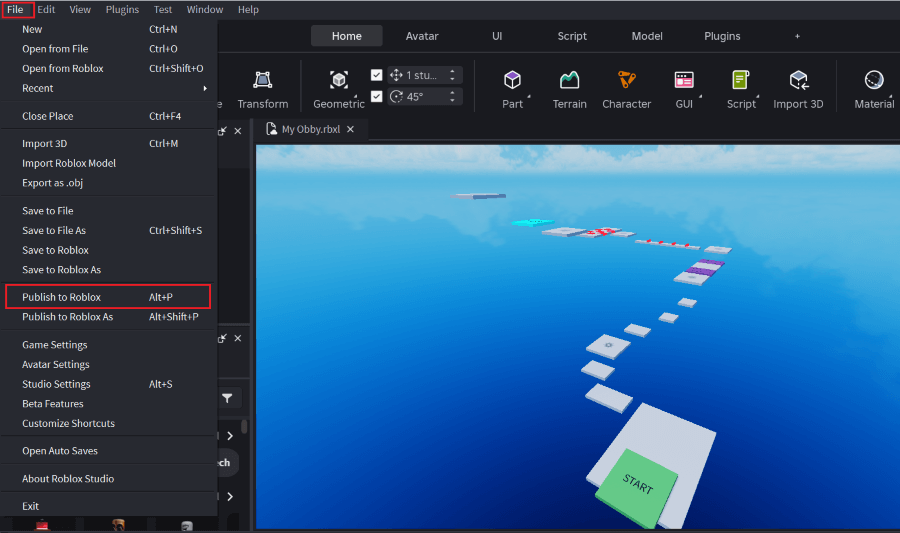
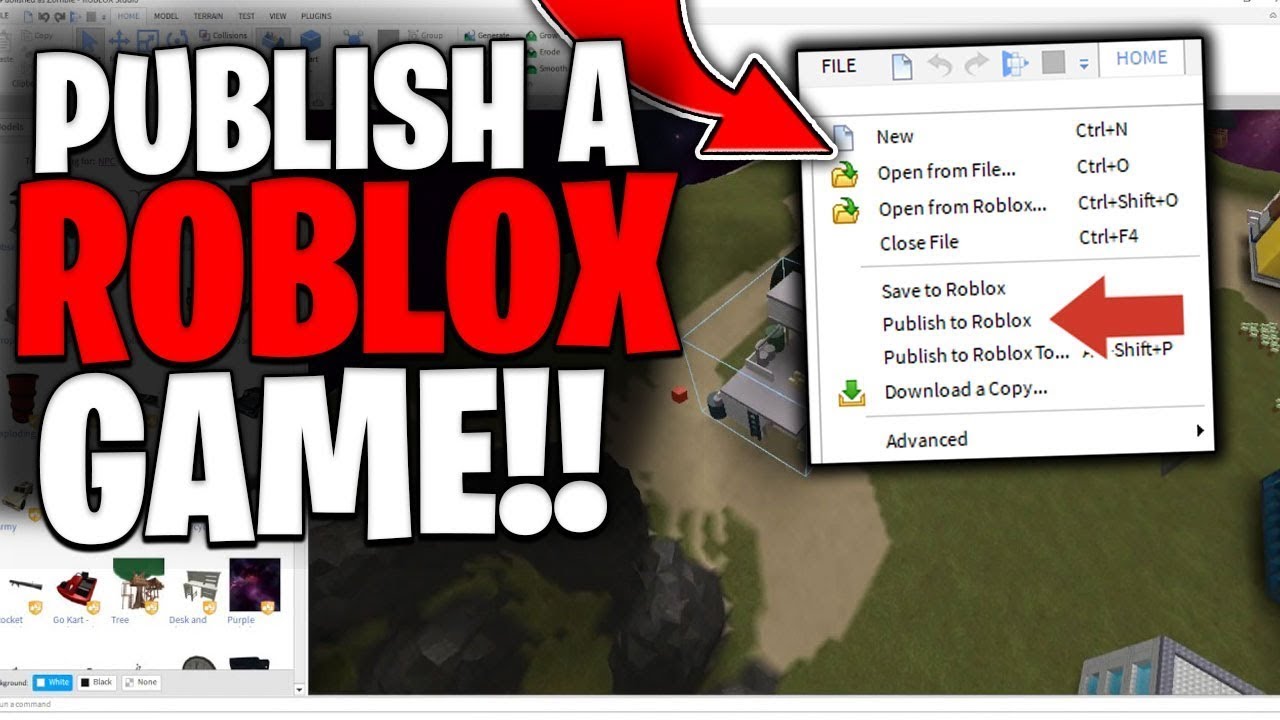
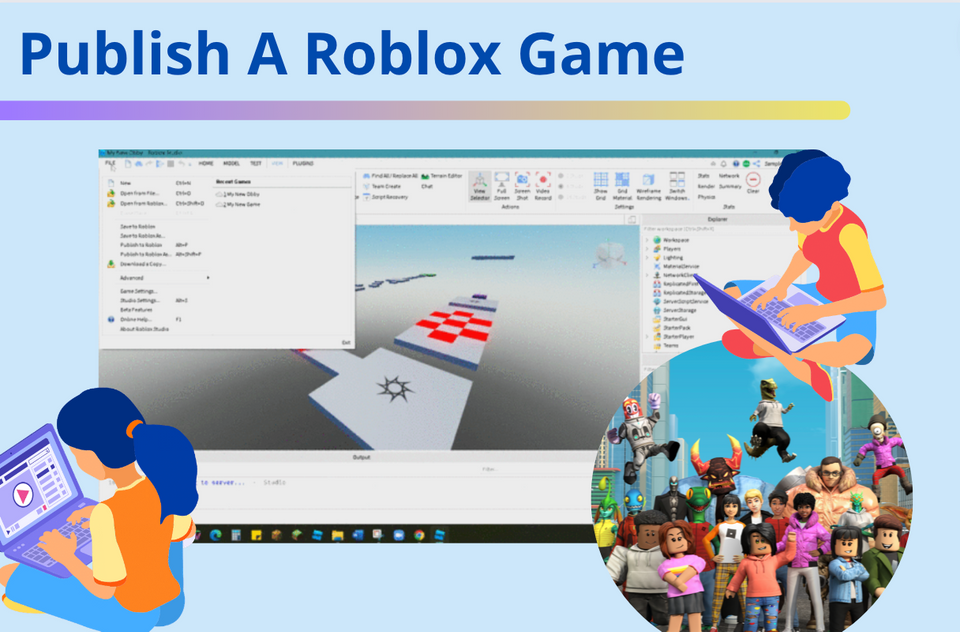
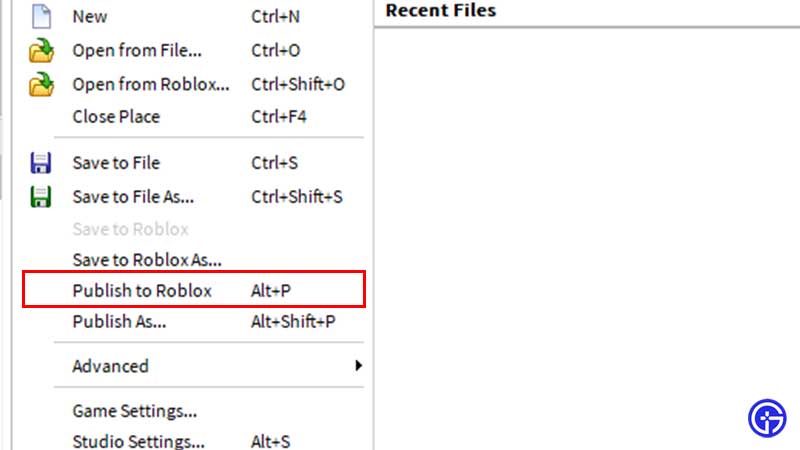
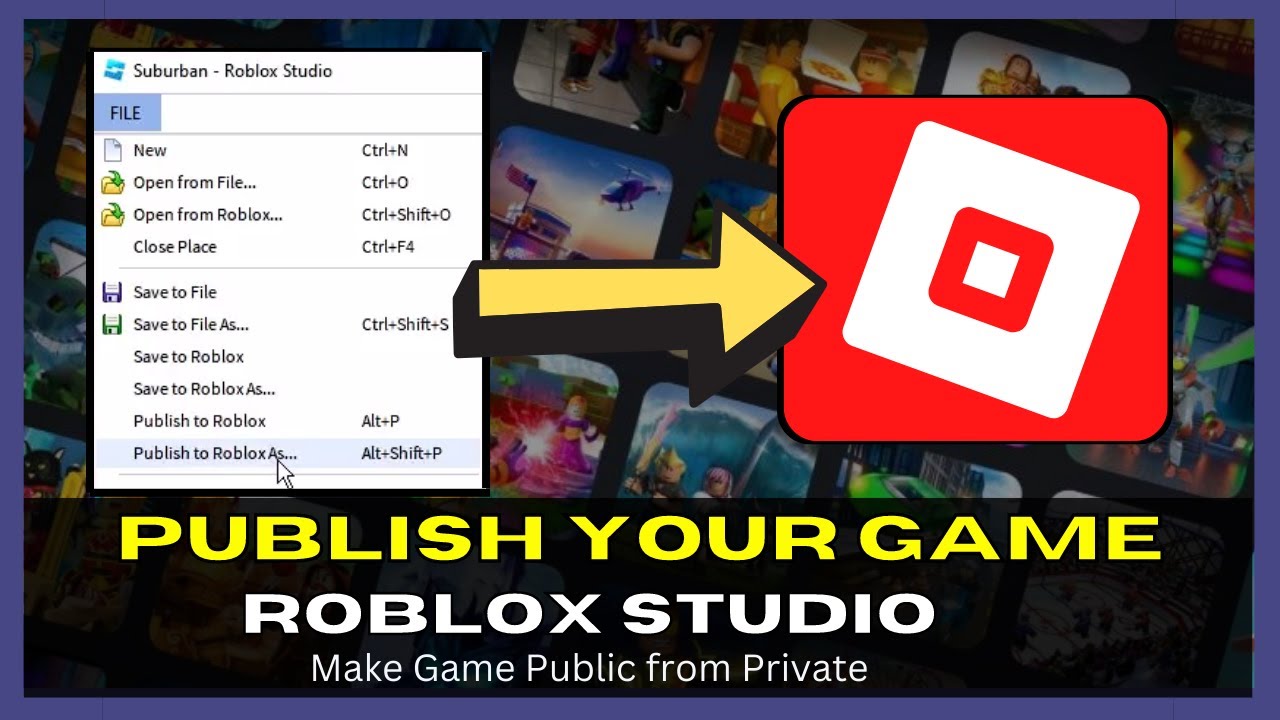
The very first step to publishing your Roblox game is ensuring it's saved correctly within Roblox Studio and that you understand the basic access settings. Before anything else, your game needs to exist as a saved place on your Roblox account. You do this by going to 'File' in Roblox Studio, then 'Publish to Roblox' or 'Save to Roblox'. If it's a new game, you'll be prompted to name it, add a description, and choose creator settings. This action stores your game on Roblox's servers, making it accessible for you to work on from any device. Think of this as uploading the blueprint of your house; it's on the property, but not yet open for visitors. For many busy gamers, this initial saving can feel like a small victory, confirming their progress is secure and one step closer to sharing their creation.
How do I prepare my game for a successful Roblox launch?
Preparing your game for a successful Roblox launch involves more than just hitting the publish button. It's about optimizing for performance, user experience, and visual appeal. First, focus on optimization: script efficiency, part count reduction, and proper lighting can drastically improve performance, especially for mobile users who represent a significant portion of Roblox's audience. Many US gamers balance their playtime across various devices, so a smooth experience on phones, tablets, and PCs is crucial. Next, design an engaging thumbnail and a compelling game icon. These are your game's first impression, vital for attracting players who are quickly scrolling through thousands of options. Finally, craft a clear and enticing game title and description that accurately reflects your game's genre and unique selling points. A well-prepared game stands out and retains players, turning casual browsers into dedicated fans.
What are the critical settings to check before going public on Roblox?
Before making your Roblox game public, several critical settings need your attention to ensure a smooth and secure experience. Access these through 'Game Settings' in Roblox Studio, then navigate to 'Permissions'. Here, you'll set your game's access level to 'Public'. Crucially, check the 'Monetization' tab if you plan to offer Game Passes or Developer Products. Ensure 'Third-Party Sales' are enabled if you're selling items or access to specific content. Also, review the 'Security' settings to prevent common exploits and protect your game. Don't forget 'Places' to manage multiple areas within your game, and 'Avatar' to control allowed gear and animation types. Overlooking these settings can lead to unexpected issues or missed opportunities, a common frustration for creators. Taking the time now saves headaches later, allowing you to focus on engaging with your new players.
When is the best time to publish my Roblox game for maximum visibility?
While there's no single 'perfect' moment, timing your Roblox game launch can impact initial visibility. Generally, publishing on weekends or during major holiday breaks tends to yield higher player counts, as more gamers (including those busy adults fitting in play around their schedules) are online and looking for new experiences. Roblox's algorithm favors games with recent activity and consistent player engagement, so a strong initial surge can help your game get noticed. Consider major Roblox events or community challenges that align with your game's theme, as this can provide a natural boost. However, don't delay publishing indefinitely waiting for the 'perfect' time; a well-polished game released with a clear promotion plan often outperforms a delayed, less-organized launch. Consistency in updates and engagement after launch is often more impactful than the exact launch hour.
Why is testing important before making my Roblox game public?
Thorough testing before making your Roblox game public is absolutely non-negotiable, acting as your final quality control before presenting your creation to the world. Imagine launching a game only to have players encounter game-breaking bugs, performance issues, or confusing mechanics – it can quickly lead to negative reviews and a high player drop-off rate. US gamers, especially those balancing life, have limited time and expect a polished experience; they're less forgiving of obvious flaws. Test your game across various devices (PC, mobile, tablet) to ensure cross-platform compatibility and optimal performance. Recruit friends, family, or a small group of beta testers to identify bugs, gather feedback on gameplay, and check for fairness or balance issues. This iterative testing process not only fixes problems but also refines the player experience, ensuring your game is engaging, functional, and ready to impress. It’s an investment of time that pays dividends in player retention and positive reviews.
How can I promote my new Roblox game after publishing it?
Promoting your new Roblox game after publishing is crucial for attracting players in a competitive environment. Start by utilizing Roblox's own promotional tools: use Robux to run sponsored ads and developer exchange ads to reach a wider audience. Experiment with different ad creatives and targeting options to see what resonates best. Beyond Roblox, leverage social media platforms like Discord, Twitter (X), TikTok, and YouTube. Many adult gamers are active on these platforms, especially Discord for community building. Create short, engaging video clips showcasing exciting gameplay, unique features, or funny moments. Engage with Roblox communities and forums, sharing updates and interacting with potential players. Consider collaborating with smaller Roblox content creators or streamers who align with your game's style. Remember, consistent communication and community engagement are key to building a dedicated player base that keeps coming back.
What are common pitfalls to avoid when publishing on Roblox?
When publishing a game on Roblox, several common pitfalls can derail a successful launch. First, **neglecting performance optimization** is a major issue; a laggy game will quickly lose players, especially mobile users. Second, **poor game presentation** through unappealing icons or descriptions can result in low click-through rates, burying your game among others. Third, **insufficient testing** often leads to bugs and frustrating gameplay, causing negative reviews. Fourth, **ignoring intellectual property rights** can lead to your game being taken down. Always use original assets or properly licensed ones. Fifth, **over-monetizing** or implementing predatory monetization schemes can alienate players who value fair play and a good experience. Lastly, **failing to engage with your community** post-launch means missing valuable feedback and losing opportunities to build player loyalty. Avoiding these traps significantly increases your chances of long-term success on the platform.
Can I monetize my game and what are the options on Roblox?
Yes, Roblox offers robust monetization options, allowing creators to earn Robux from their games. The primary methods include:
1. **Game Passes**: These are one-time purchases that grant players permanent perks, abilities, or access to special areas within your game. Think VIP access or unique items.
2. **Developer Products**: These are consumable items that players can purchase multiple times, such as in-game currency, power-ups, or temporary boosts. This is great for fostering repeat engagement.
3. **Premium Payouts**: Roblox automatically pays creators based on how much engagement their game receives from Premium subscribers. The more Premium members play your game, the more Robux you earn, rewarding quality and retention.
4. **Private Servers**: Players can purchase private servers for their game, allowing them to play exclusively with friends. You set the price, and a portion goes to you.
Effectively integrating these options without being overly intrusive is key. Many adult gamers are willing to spend on experiences that enhance their fun or save them time, but they appreciate value and transparency.
How do I update my Roblox game after it's published?
Updating your Roblox game after it's published is a straightforward but crucial process for maintaining player engagement and improving your experience. Simply open your game in Roblox Studio, make your desired changes, and then go to 'File' > 'Publish to Roblox'. This will overwrite the live version of your game with your latest changes. It's good practice to notify your players about upcoming updates via in-game announcements or social media, especially for significant changes or bug fixes. Regular updates—whether they're new content, bug fixes, or performance improvements—show your commitment to the game and its community. This keeps your game fresh and gives players reasons to return, which is essential for long-term success on a platform where new content is constantly being released.
What's the role of community feedback in Roblox game development?
Community feedback plays an indispensable role in the continuous development and improvement of your Roblox game. It provides invaluable insights directly from your target audience, helping you identify what players love, what they find frustrating, and what new features they'd like to see. Engaging with your community through in-game polls, Discord servers, social media, and Roblox's own forum sections allows you to gather this feedback effectively. For busy creators, this feedback loop is a powerful tool for prioritizing development efforts, ensuring you're working on features that truly enhance the player experience and address their pain points. Listening to your players fosters a sense of ownership and loyalty, transforming casual visitors into dedicated fans who are invested in your game's success. It’s about building a living, evolving experience hand-in-hand with those who play it.
You've successfully navigated the path to publishing your game on Roblox, transforming your creative vision into a playable experience for millions. We've covered the essential steps from preparation and critical settings to promotion, monetization, and the vital role of community feedback. Remember, the journey doesn't end with publishing; it's just the beginning. Continuous updates, active community engagement, and a commitment to optimizing your game will ensure its longevity and success. For US gamers balancing life's demands, efficiency and practical advice are paramount. By following this guide, you've equipped yourself with the knowledge to manage your game's lifecycle effectively, proving that even with a busy schedule, your creative dreams can thrive on Roblox. What's your biggest gaming challenge or your next big Roblox game idea? Comment below and share your thoughts!
FAQ Section
Is Roblox publishing free for developers?
Yes, publishing a game on Roblox is completely free for developers. Roblox Studio, the development platform, is free to download and use. You can create, save, and publish your experiences without any upfront costs. Monetization options exist through in-game purchases and premium payouts, allowing creators to earn Robux.
How long does it take for a Roblox game to be approved after publishing?
When you publish a game on Roblox, it becomes available almost instantly. There isn't a lengthy approval process like some other platforms. However, Roblox does have automated systems and human moderators who review games for compliance with community standards and terms of service. If your game violates any rules, it could be moderated later.
Can I publish a game on Roblox from my phone or tablet?
No, you cannot directly publish a game on Roblox from a phone or tablet. Roblox game development and publishing require Roblox Studio, which is a desktop application available for Windows and macOS. While you can play Roblox games on mobile devices, creation and publishing must be done on a computer.
What are 'Game Passes' and 'Developer Products' in Roblox monetization?
Game Passes are one-time purchases players make to gain permanent access to special abilities, items, or areas in your game. Developer Products are consumable items that can be purchased multiple times, like in-game currency or temporary power-ups. Both are tools for creators to monetize their experiences within Roblox.
How can I improve my Roblox game's visibility after launch?
To improve visibility, use Roblox's sponsored ads and developer exchange ads, leveraging Robux to target players. Promote your game on social media (Discord, X, TikTok, YouTube) with engaging content. Engage actively with your community, encourage likes and favorites, and consistently update your game with new content to attract and retain players.
Key highlights about how to publish a game on Roblox: covering setup, testing, launch, promotion, and monetization for busy creators.
35

Ready To Share How To Publish Your Roblox Game . Ready To Share How To Publish Your Roblox Game Publish Roblox Game Step 1 Update 1 . How To Publish A Roblox Game 2026 Complete Roblox Studio Tutorial . Ready To Share How To Publish Your Roblox Game . Roblox How To How To Publish A Game On Roblox YouTube
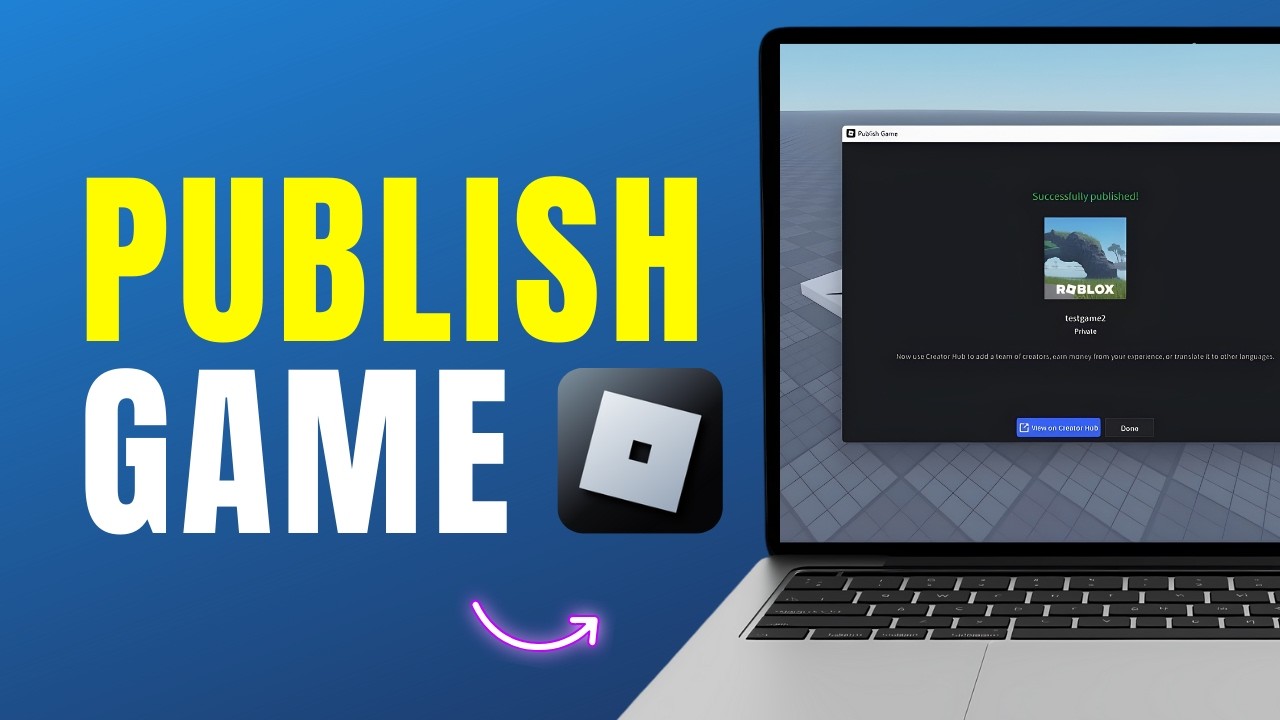
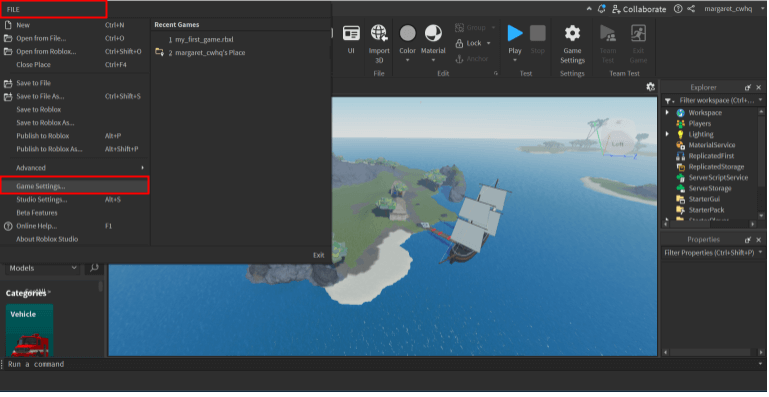


How To Publish A Roblox Game Full Guide YouTube . How To Publish A Roblox Game In 2026 YouTube . Ready To Share How To Publish Your Roblox Game Publish Game To Public Steps 1a . Ready To Share How To Publish Your Roblox Game Screen Shot 2024 10 17 At 5.41.09 PM . Ready To Share How To Publish Your Roblox Game


Ready To Share How To Publish Your Roblox Game . How To Make A Roblox Game In 2024 Easy Guide Beebom Publish To Roblox . Ready To Share How To Publish Your Roblox Game . Ready To Share How To Publish Your Roblox Game . Ready To Share How To Publish Your Roblox Game
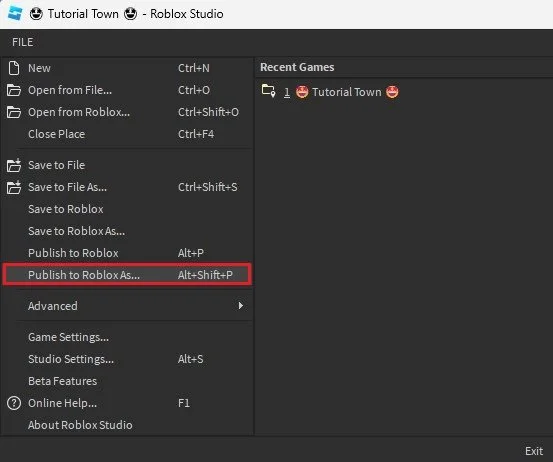


How To Publish A Roblox Game In 2023 Tech How 4 Publish To Roblox As. Ready To Share How To Publish Your Roblox Game . Ready To Share How To Publish Your Roblox Game How To Publish Roblox Game Social Banner . Ready To Share How To Publish Your Roblox Game Screen Shot 2022 08 24 At 11.36.11 AM . How To Make A Game Pass In Roblox 2026 Step By Step Guide Game Pass Roblox.webp


Ready To Share How To Publish Your Roblox Game Why Cant I Publish My Roblox Game . Ready To Share How To Publish Your Roblox Game . Ready To Share How To Publish Your Roblox Game Creations Roblox . Ready To Share How To Publish Your Roblox Game . How To Publish A Roblox Game In 2025 YouTube



Ready To Share How To Publish Your Roblox Game Published Game In Marketplace . How To Publish A Game On Roblox 2023 Gamer Tweak How To Publish A Game On Roblox 768x432 . Ready To Share How To Publish Your Roblox Game . Ready To Share How To Publish Your Roblox Game 1200x1769 . How To Make Your Roblox Game Public Or Private A Quick Guide ChatGPT Image Sep 2 2025 04 33 42 AM


Ready To Share How To Publish Your Roblox Game Roblox Publish Game . How To Publish A Game On Roblox Complete Guide 2026 Obby How To Publish Roblox Game Hero.webp. Roblox Studio How To Publish Your Game Tech How 2 . How To Publish A Game On Roblox Studio Easily 2 Quick Methods HOW TO PUBLISH A GAME ROBLOX STUDIOOO . How To Publish Your Roblox Game Get Players FAST 2025 Guide YouTube